
One web console to run the platform
CKN Console is the web screen where administrators see and control every service on the platform, from deploy and rollback to logs and alerts, without logging in to a server or typing commands. Your operations team reacts faster, and every command is limited by the signed-in person's own permissions.
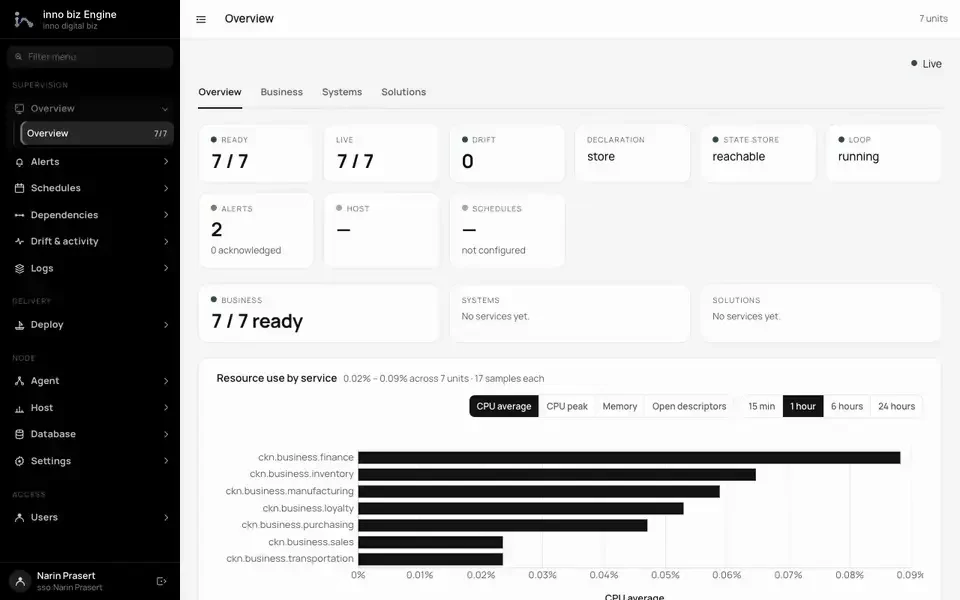
The platform at a glance
The state of every service, alerts and resource use, on the first page you open.
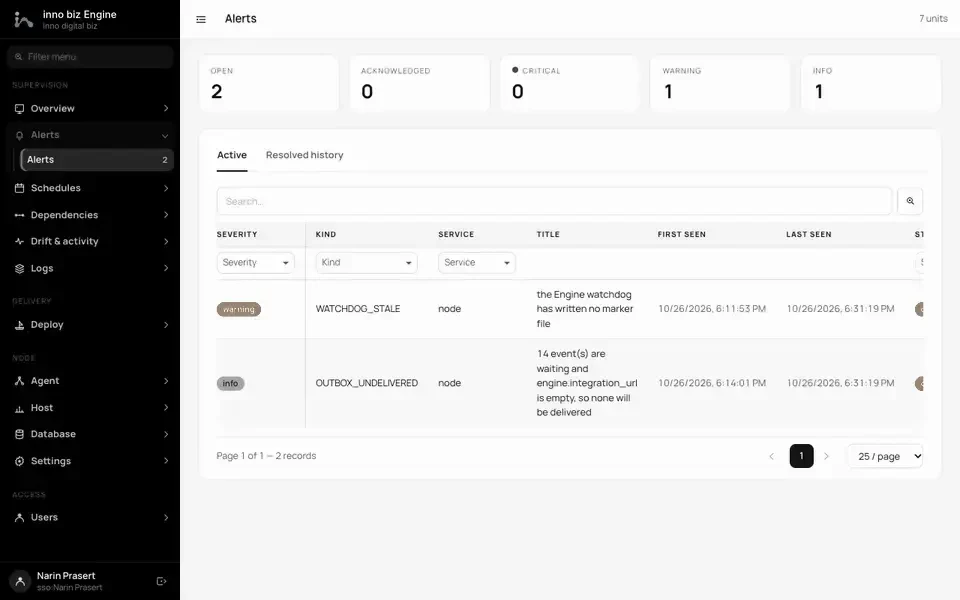
Alerts that need someone
Sorted by severity, with the service at fault and when it was first and last seen.
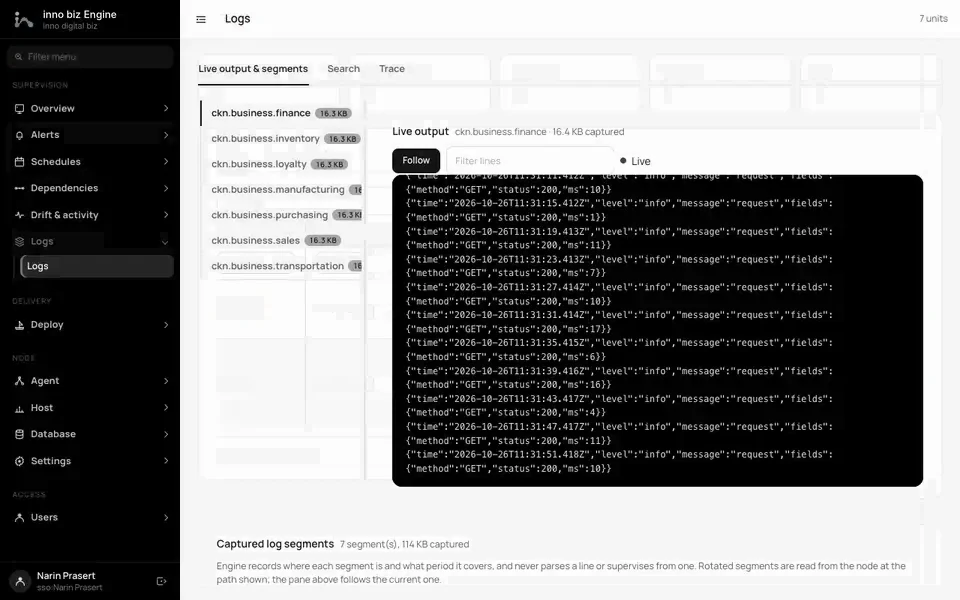
Live logs from every service
Follow, search and trace logs in real time without opening a server.
What CKN Console does
Live view of every service
One screen shows which services are running, which are in trouble and what is waiting on what. The data updates live with no manual refresh.
- Overview with a detail drawer for each unit
- Dependency view showing what each service is waiting for
- Uptime and CPU / memory charts per service
- Requests, latency and error rate per feature
Controlled deploy and rollback
Plan a rollout first, see what will change, then release in batches. If something goes wrong, roll back to an earlier revision.
- Fleet rollouts in batches, cancellable after the current batch
- Contract comparison between two releases before you ship
- Revision history showing what each one changed
- Declare maintenance windows from the screen
Direct runtime control
Start, stop, restart or drain a service from the browser. Risky commands ask for confirmation, and Engine checks permissions on every call.
- Start, stop, drain, hard restart and clear backoff
- Drain a whole node for maintenance, then resume it
- Runtime control at module and feature level
- Clear restart backoff once the cause is fixed
Logs, traces and alerts together
Find root causes in one place: follow logs live, search them, or trace one correlation id across several services.
- Live tail per unit and search over captured logs
- Trace by correlation id with per-service coverage
- Acknowledge alerts with a note
- A Drift page showing what differs from what was declared
Database, host and schedules
See where schema migrations are pending and how the host machine is doing, which lowers the risk of each release.
- Migration status for every service, worst first
- Optionally apply migrations before a rollout (never pre-ticked)
- Host memory, load, filesystems and watchdog
- Schedules and retention, with a run-now prune
Operators and security
Manage operator accounts and permissions on screen. Sign in through the platform's Identity service or the fallback form, with standard web protections in place.
- Create, edit, reset and remove operators with their grants
- Optional single sign-on through Identity (OAuth with PKCE)
- CSRF, strict CSP, secure cookies and sign-in attempt limits
- Every command is sent with the operator's own token, so Engine enforces their grants
What an operator controls from one screen
These figures count what is built into Console. They are coverage numbers, not speed measurements.
Figures come from CKN's own test suites and benchmarks. Real results depend on each system's hardware and data volume.
What your business gets
Faster fixes, shorter incidents
Status, logs, traces and alerts sit on one screen, so the team does not switch between tools to find a cause, and can act on it from the same place.
Lower-risk releases
See the rollout plan, contract changes and pending migrations before you release. Batches and rollback keep mistakes small and easy to undo.
Access you control, actions you can trace
Every command reaches Engine with that operator's own permissions. Console keeps no database of its own, so there is less data to protect, and revoking an operator also ends their live sessions.
Hard-restart a service through the Console API
Who relies on it
- Operations and DevOps teams running the platform day to day
- Administrators who deploy, roll back and manage operator accounts
- On-call staff tracing causes through logs and alerts
- CKN Engine, which Console fronts so every other service can be supervised
POST /api/units/orders/hard-restart HTTP/1.1
Host: console.example.com
Cookie: ckn_console_session=<operator-session>
X-CSRF-Token: <csrf-token>

HTTP/1.1 200 OK
Content-Type: application/json

{
  "success": true,
  "data": { "message": "done", "unavailable": false }
}

// If Engine refuses or is unreachable, the same call answers 502
// with success: false and Engine's own message.