
Business screens that stay fast at 100,000 rows
CKN UI is a component framework for business-application screens, with nearly a hundred ready-made components, a router, offline sync and charts in one package. Your team ships screens faster, without stitching together many libraries or relying on third-party dependencies.
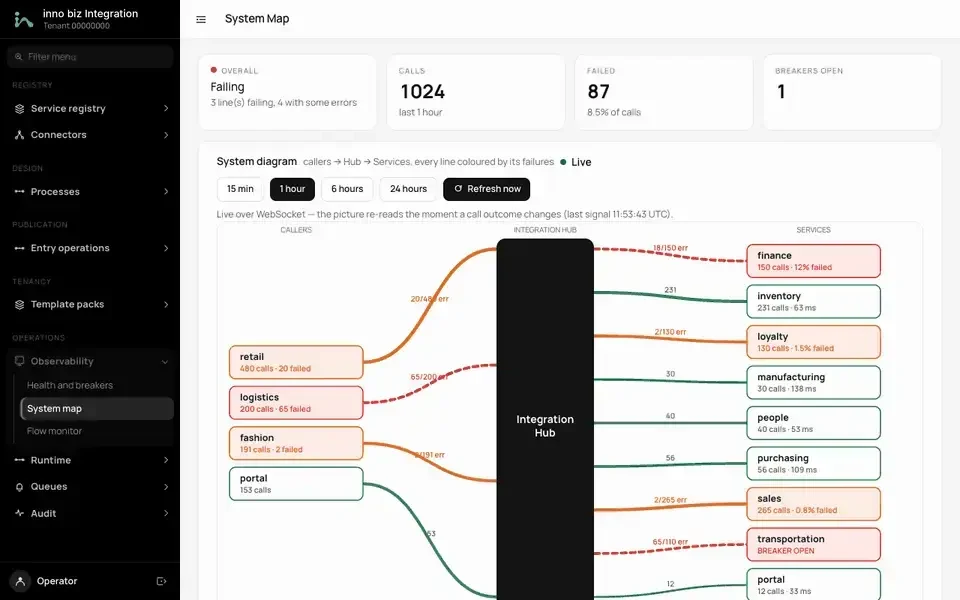
Diagrams that update live
A system map drawn with CKN UI components, changing as WebSocket data arrives.
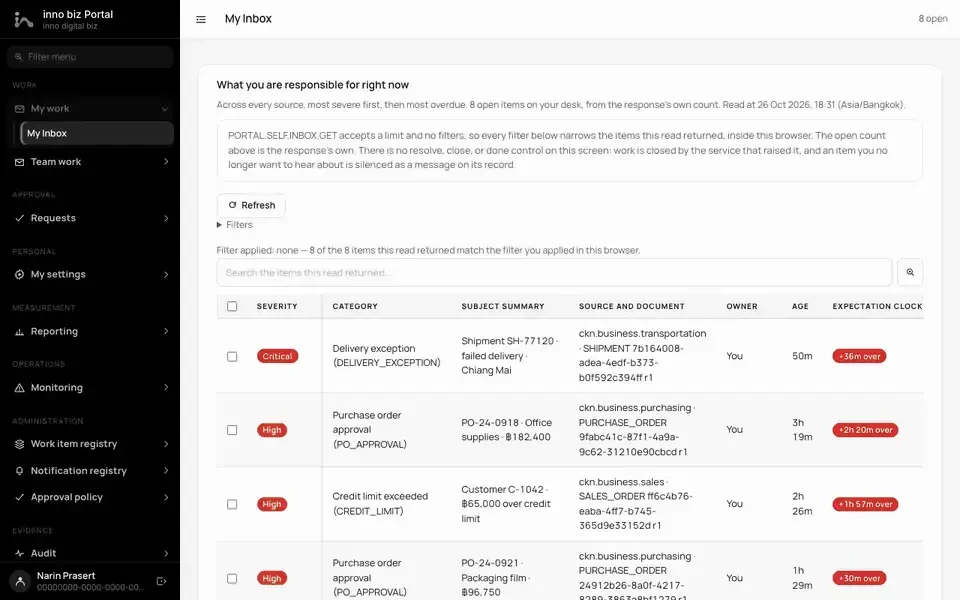
Tables, filters and badges, ready-made
A work list assembled from standard components, with no hand-written HTML.
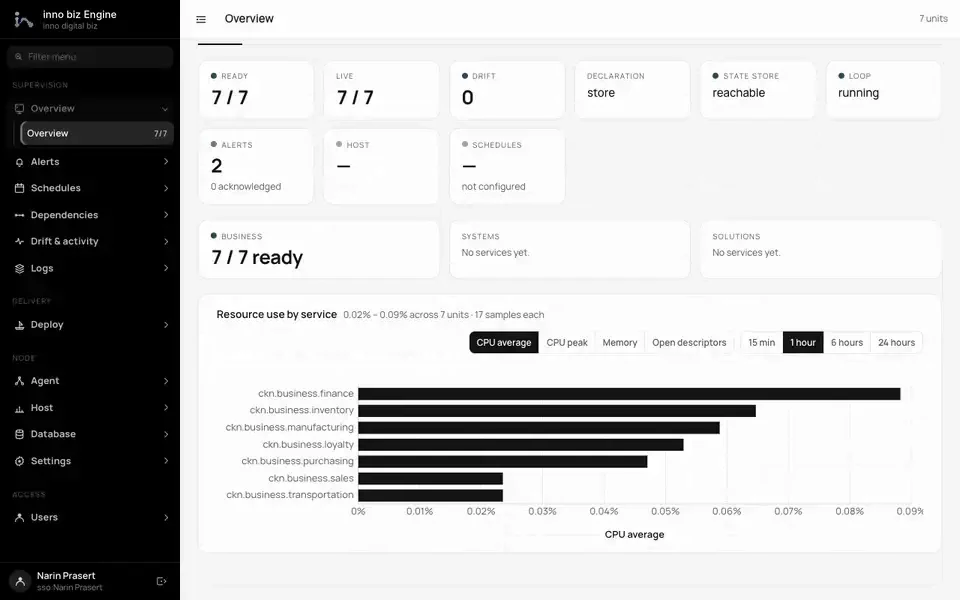
Charts from our own chart engine
Bar charts and summary tiles on a dashboard, the same set every app in the group uses.
What CKN UI does
Components and templates that are easy to write
Write a component as a plain class, keep state in fields, and the screen updates itself. No mandatory build step and no virtual DOM to debug.
- HTML templates with :if, :for and two-way binding
- Patches only the parts of the DOM that changed
- Template linter catches mistakes during development
- Thai-aware: Buddhist-era dates, Thai digits, Thai text
Standard components for business apps
Tables, forms, calendars, drawers, kanban, timelines, a command palette and more, ready to use and restyled through themes.
- Data table with sort, filter, multi-select and CSV export
- Forms: date range, tag input, number input, file upload
- Themes: ckn-ui (default), Bootstrap, Tailwind
- One hook to change the text of every component (i18n)
Large data
Show very large data sets by rendering only what is on screen: lists, two-dimensional grids and long documents.
- Virtual lists for rows in the hundred thousands
- ckn-grid in DOM or canvas mode with frozen rows and columns
- Cell selection, undo / redo, clipboard and shortcuts
- Update a single row from a live feed without repainting the table
Works without a network
An app that has been opened once keeps opening offline. Changes saved while offline are sent when the network returns, exactly once.
- Query cache with stale-while-revalidate and retry
- IndexedDB outbox and sync engine
- Reachability checks and user-resolvable conflicts
- Built-in service worker
Charts, maps and editors
Charts, maps, QR codes, diagrams, a code editor and a rich-text editor are built in, with no extra libraries to install.
- Line, bar, pie, scatter and sparkline charts on canvas
- GeoJSON map with area and length measurement
- QR Code versions 1 to 40, including PromptPay-style payloads
- Diagrams (ERD) and a code editor for SQL / JSON
App shell, security and multiple platforms
Router, store, real-time collaboration, and the same templates running in the browser, on the server and natively. Works under a strict Content-Security-Policy.
- Router with guards, lazy routes and keep-alive
- Multi-user document editing with presence
- No 'unsafe-eval' needed in your CSP
- Server rendering (SSR) and native apps via ui-native
Measured, not promised
All figures come from the package's own benchmarks and tests, measured in Chrome unless noted. Your results depend on your hardware and data.
Figures come from CKN's own test suites and benchmarks. Real results depend on each system's hardware and data volume.
What your business gets
Faster delivery, lower cost
Tables, forms, charts, maps and editors come in one package, so your team does not select, license and keep many libraries compatible. New screens start from ready parts, not from zero.
Lower supply-chain risk
At runtime it depends only on CKN core, so there are no third-party libraries to track for vulnerabilities or licences. It also runs under a strict CSP without 'unsafe-eval'.
Works on the shop floor, and you own it
Work continues when the connection drops and saved changes are sent once it returns. The code and architecture are maintained in-house by CKN, so we can adapt it to your operation instead of waiting on another vendor's roadmap.
A 100,000-row list in one template
In use across the CKN stack
- Screens of the CKN business services (through the standard theme)
- Admin screens of platform services such as identity and portal
- Internal apps and industry-solution demo screens
- Native iOS / Android apps through @ckn-technology/ui-native
import { Component } from "@ckn-technology/ui";

class OrderList extends Component {
  rows = Array.from({ length: 100000 }, (_, i) => ({ id: i, name: `Order ${i}` }));

  async onTemplateBuilding(): Promise<string> {
    return /*html*/`
      <div style="height: 600px; overflow: auto">
        <ul>
          <li :for="{{r of this.rows}}" :key="{{r.id}}"
              ckn-for-mode="virtual immutable" ckn-item-size="40">{{r.name}}</li>
        </ul>
      </div>`;
  }
}

Component.register(OrderList, "order-list");
Component.render(".cknui");